
TERJEBAK DI RUMAH ATOK Controls & Input Tips
Cleaner movement, camera, and proximity prompts for surviving Terjebak Di Rumah Atok.
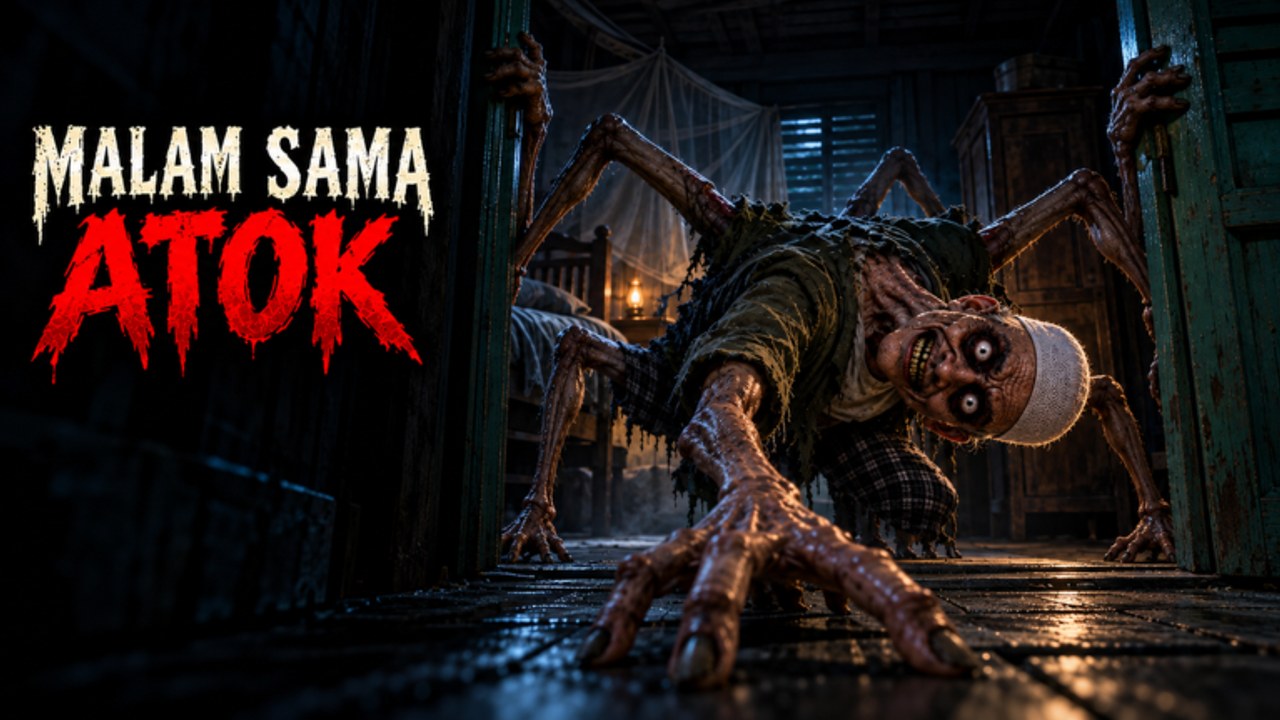
Good controls will not delete Atok, but bad controls will feed him free kills. This page tunes movement, camera, and proximity prompts for [BAB 2] MALAM SAMA ATOK — the experience players search as Terjebak Di Rumah Atok — so your hands keep up when the laba-laba hunt starts in the wooden kampung house.
Read this alongside Getting Started, then apply the inputs during how to hide drills and how to escape attempts.
Default Roblox expectations
Malam Sama Atok uses standard Roblox character locomotion with experience-specific proximity prompts on doors, drawers, padlocks, and lemari. Exact keybinds follow your Roblox settings:
| Action | Typical PC default | Notes |
|---|---|---|
| Move | WASD | Walk while scouting |
| Sprint | Shift (if enabled) | Loud on wood — use sparingly |
| Jump | Space | Rarely helpful in tight interiors |
| Camera | Mouse | Lower sensitivity for hallway tracking |
| Interact / Prompt | E or click | Critical for kunci and hides |
| Inventory / menus | Backpack / ` | Keep HUD clear during chases |
| Shift lock | Ctrl or setting toggle | Preference-based for camera |
Mobile players use on-screen thumbsticks and prompt buttons — enlarge the interact control in Roblox settings if you miss lemari entries during panic.
Settings that actually matter
- Headphones — non-negotiable for footstep reads.
- Camera sensitivity — high look-sens makes spider-form peeks feel worse; moderate it.
- Music vs SFX balance — keep SFX higher so chase tells cut through.
- Graphics — stable frame rate beats ultra shadows when prompts must fire on time.
- Performance mode on low-end devices — dying to a frozen prompt feels worse than low textures.
- Mic discipline — push-to-talk if your open mic transmits panic breathing to teammates.
Proximity prompt mastery
Most deaths that “feel unfair” are missed prompts:
- Face the lemari squarely; angle clipping delays the highlight.
- Stop spam-tapping; press once when the prompt is live.
- Clear other players from the same furniture hitbox in busy 25-player lobbies.
- Do not move the camera wildly during the enter animation.
Fair-play mastery beats relying on Instant Prompt scripts. Those helpers exist in the community tooling scene, but executors risk your account and often break after patches listed on Updates.
Movement rules for wooden floors
- Walk during scouting and key searches.
- Sprint only on committed rotates after a corner.
- Avoid jump-spam; it adds noise and camera chaos.
- Strafe around door frames so you can reverse into a pre-baked hide.
The mid-page escape-pacing video shows how clean movement looks when someone is trying to leave the house — copy the restraint in the quiet segments, not only the panic sprints.
Camera habits during hunts
- Check behind on a rhythm, not a constant 360 spin.
- When entering a room for kunci, quickly hard-look at corners before opening drawers.
- After leaving a lemari, soft-peek before full commit into the hall.
- In multiplayer, avoid first-person chaos if third-person gives better peripheral on your device.
Controller and mobile notes
Controller: bind interact on a bumper you can hit without dropping the stick. Raise deadzones slightly if drift pulls you off prompts.
Mobile: use a claw or stable thumbs grip; move the interact button away from the sprint cluster if you mis-tap during chases. Consider a device stand for longer sessions so vertical camera checks stay precise.
Input checklist before a serious escape attempt
- Confirm you are in Malam Sama Atok, not Opah/Nenek (wiki overview).
- Prompt key feels consistent in a safe room test.
- Sprint not sticky / not always on.
- Audio levels verified with a short walk on wood.
- Teammates know your callout words for “hiding” and “leaving hide.”
- Codes already redeemed so you are not opening menus mid-finale.
- Tier list key priority skimmed so you do not fumble decision time.
Common control mistakes
| Mistake | Fix |
|---|---|
| Holding sprint forever | Walk default; sprint as a tool |
| Spinning camera in cabinets | Stabilize before exit |
| Menuing during chase | Pre-set settings in lobby |
| Fighting teammates for one prompt | Stagger or rotate to second lemari |
| Ultra graphics on weak CPU | Cap effects; protect framerate |
Practice routine (five minutes)
- Load in and walk one wing without sprinting.
- Enter and exit three different lemari cleanly.
- Open two drawers without misclicking empty air.
- Sprint only around one corner, then walk again.
- Repeat until prompt success feels boring.
Boring inputs are what let you focus on Players Hub tells when Atok’s Tok Dalang / spider fantasy spikes.
Accessibility and comfort
- Take breaks; horror tension plus Roblox heat can tilt decision-making.
- Lower flashy effects if you are sensitive to sudden contrast in dark interiors.
- Use written callouts in chat if voice is unavailable — short strings like “key” / “hide” / “clear.”
Related pages
- Getting Started — first-night plan
- How to Hide — when to use the prompts you just mastered
- How to Escape — where those inputs should carry you
- Scripts Hub — why Instant Prompt is not a controls replacement
- Guides Hub — full tutorial index
Dial the camera in, keep SFX loud, and treat every lemari prompt like a skill shot. When Atok turns the holiday house into a hunt, your fingers should already know the answer.
Frequently Asked Questions
Quick answers to the most common questions.
What is the interact key in Malam Sama Atok?
It follows your Roblox bind — commonly E on PC or the on-screen prompt on mobile. Test it on a safe lemari before a serious run.
Should I always sprint?
No. Walking keeps noise and camera control cleaner. Sprint on committed escapes after breaking line of sight.
Why do my hide prompts fail?
Usually bad facing angle, player congestion on the same furniture, spam-tapping, or low framerate. Square up, press once, and protect performance settings.
Do I need Instant Prompt scripts?
No. They only shorten prompt friction and require risky executors. Practice fair timing instead; see the Scripts Hub for warnings.
Any mobile-specific tip?
Enlarge or reposition the interact button, keep SFX high, and consider a device stand so camera peeks stay accurate during chases.